
Although programming a garage door remote can appear difficult, it can be quickly mastered with a few easy steps. This tutorial will help you understand how to program a garage door remote.
Understanding garage door opener programming basics can help you follow each step with confidence, especially since garage door remote programming may differ slightly depending on the opener model. Learning how garage remote pairing and garage remote synchronization work ensures that the remote connects properly with your garage door system.
Step 1: Gather Necessary Tools and Information
Make sure you have the following before you start:
The garage door remote that you wish to program, whether it’s new or old
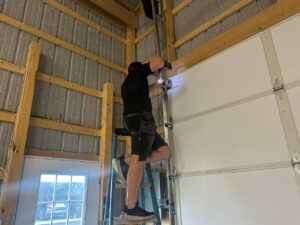
Access to the garage door opener motor unit, which is often housed in the garage ceiling
If needed, a ladder to access the motor unit
The garage door opener owner’s manual (optional but useful)
Having these items ready helps avoid interruptions during garage door remote programming and allows the garage remote pairing process to move smoothly. Proper preparation also supports accurate garage door opener programming, especially when different models require specific steps for garage remote synchronization.
Step 2: Locate the Learn Button
Find the “Learn” button on the garage door opener motor unit This button, which is frequently labeled “Learn,” “Program,” or “Set,” is normally located on the side or back of the device. If you’re experiencing problems finding the button, check your owner’s manual, as each manufacturer may have different specifications regarding its color and location.
The Learn button is essential for garage door opener programming because it allows the system to enter pairing mode. Locating this button correctly is a key step in garage door remote programming and ensures that garage remote pairing and garage remote synchronization can be completed successfully.
Step 3: Clear Existing Codes (Optional)
In case the garage door opener’s memory needs to be cleared of any stored codes, simply press and hold the Learn button until the indication light goes out, which often takes a few seconds. This step guarantees that your garage door opener will no longer function with any older remote controllers, giving you a blank slate for programming.
Clearing old codes can be helpful when learning how to program a garage door remote, especially if previous garage door remote programming attempts caused conflicts. This process resets garage remote pairing and prepares the system for fresh garage remote synchronization with the new remote.
Step 4: Enter Programming Mode
Do not hold down the motor unit’s Learn button; just press it once. The machine will enter programming mode as indicated by the indicator light adjacent to the button, turning on or beginning to blink. The next stages usually take 30 seconds to complete, so be prepared.
Entering programming mode is a critical part of garage door opener programming because it allows the system to recognize new remote signals. Acting within the time window is essential for successful garage door remote programming and smooth garage remote synchronization.
Step 5: Program the Remote
To operate the garage door, push and hold the button on the remote control within the allotted 30-second interval. Once the remote has been successfully configured, hold down the button until the motor unit’s indicator light blinks or shuts off. When the programming is finished, you can hear a click or see the lights on the garage door opener flash.
These signals confirm successful garage door remote programming and indicate that garage remote pairing has been completed. This step finalizes garage door opener programming and ensures proper garage remote synchronization between the remote and the opener.
Step 6: Test the Remote
To operate the garage door, push and hold the button on the remote control within the allotted 30-second interval. Once the remote has been successfully configured, hold down the button until the motor unit’s indicator light blinks or shuts off. When the programming is finished, you can hear a click or see the lights on the garage door opener flash.
Testing the remote confirms that you have successfully learned how to program a garage door remote and that the opener responds correctly to the signal. This final step ensures garage door remote programming is complete and that proper garage remote synchronization has been achieved.
Troubleshooting Tips
Examine the Batteries: Dead or incorrectly put batteries could be the cause of the remote’s inability to function. Try again after changing the batteries.
Range Problems: Make sure the garage door opener is within your line of sight. Some remotes may not function when used far away due to their restricted range.
Interference: The signal may be hampered by other wireless devices. Consider reprogramming the remote after shutting off other electronics or at a separate time.
These troubleshooting steps can resolve common issues that occur during garage door remote programming and help restore proper operation. If problems persist, repeating the steps on how to program a garage door remote can often fix garage remote pairing or garage remote synchronization errors.
Garage door openers used in both residential and commercial garage door systems can differ in configuration and signal requirements, which may affect how the remote responds during programming.
Conclusion
Programming a garage door remote is a straightforward process that can be completed in a few simple steps. By following this guide, you can ensure that your remote is set up correctly, providing you with convenient access to your garage. If you encounter any issues, refer to your garage door opener’s manual or contact a professional for assistance. Enjoy the ease and security of your newly programmed garage door remote!
This guide on how to program a garage door remote covers the essential steps involved in garage door opener programming, from setup to testing. Understanding garage door remote programming helps ensure reliable garage remote pairing and long-term garage remote synchronization for everyday use.